
What the export screens and states mean
An export is only useful if it still exists and is complete. Klasor tells you plainly when it paused, when it finished with problems, and what it found when it re-verified.
5 min read · updated Nov 8, 2026
Paused: nothing is lost
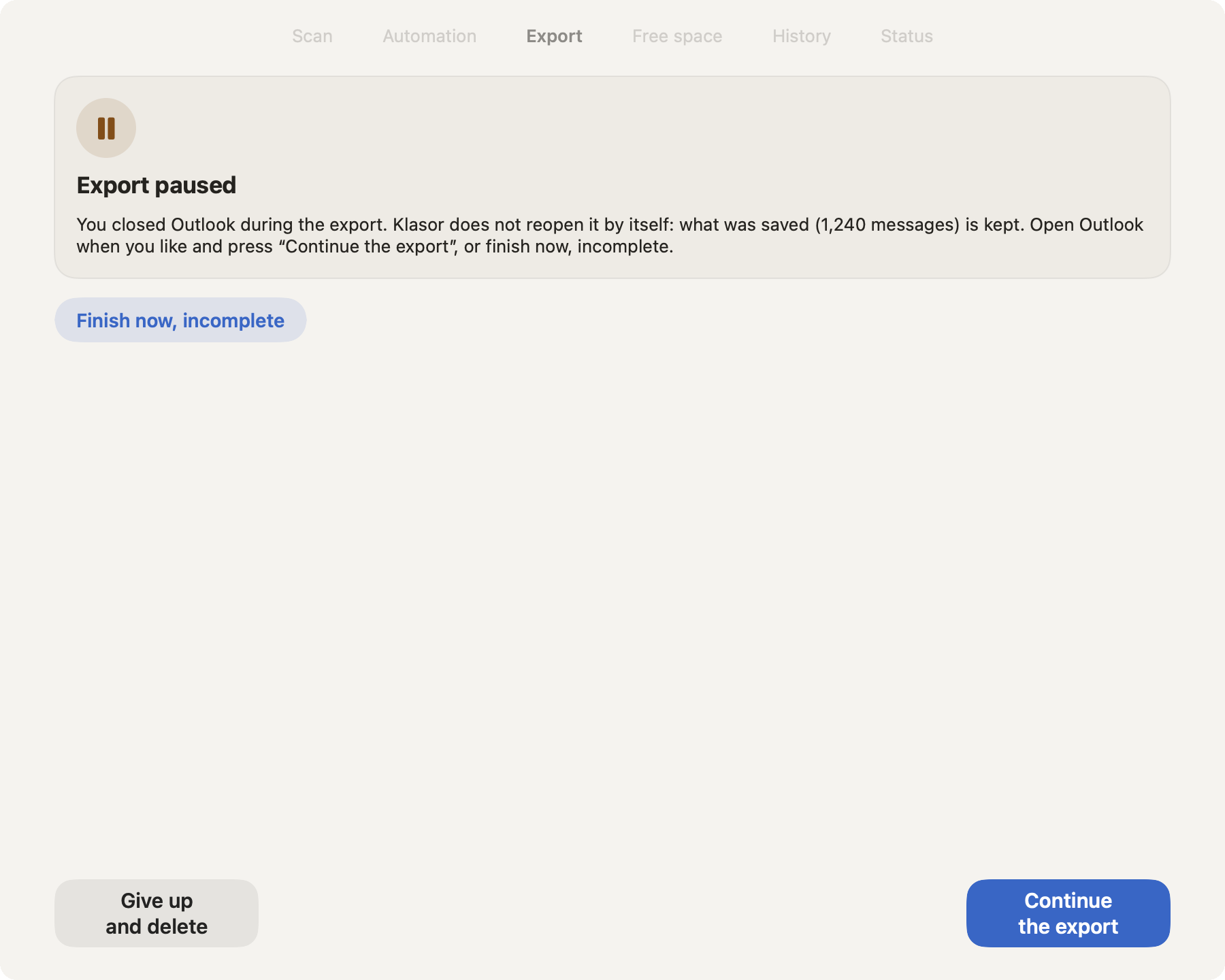
- 1
Export paused
What was saved is kept. The text says why it stopped and what to do.
- 2
The reason
Outlook closed during the export, Outlook refusing saves (only if Klasor had to fall back to Outlook’s own save), free disk space below the safety reserve (2 GB), an error, an interrupted app or Mac, or a copy to the destination that stopped.
- 3
Continue the export
Takes only what is missing, without duplicating messages, and at the end verifies everything exported.
- 4
Finish now, incomplete
Closes the export with what was saved. The result says it is incomplete, with how many of the total.
- 5
Give up and delete
Deletes the temporary copy of this export, after you confirm. The messages in Outlook are never touched.
A paused export stays paused, even if you close and reopen Klasor: a row on Status reminds you (“An export is paused”). When Outlook’s save limit is the reason, quit Outlook (⌘Q), open it again, and press Continue the export.
Finished with problems
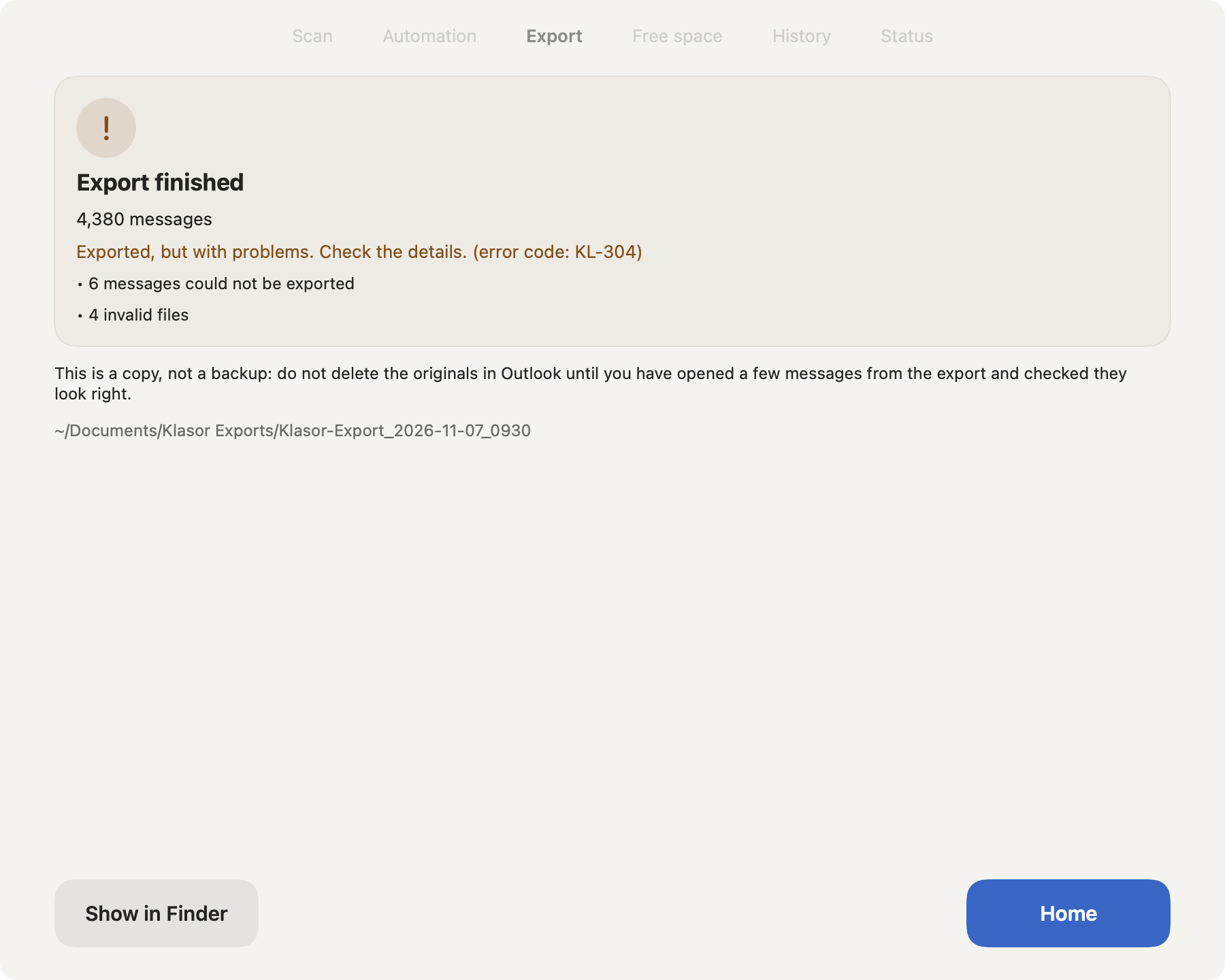
- 1
Orange, not green
The export finished, but not everything is as it should be.
- 2
The code
“Exported, but with problems” with its error code (KL-304) that support can look up.
- 3
What is wrong
How many messages could not be exported and how many files failed the check. Everything else is intact.
- 4
Keep the originals
Don’t delete anything from Outlook; run the export again for what is missing.
- 5
Show in Finder
Opens what was exported.
What Status says about an older export
Klasor re-checks the last export and shows a row on Status when something changed:
| State | Signal | What it means | What to do |
|---|---|---|---|
| OK | no row | The folder and MANIFEST.csv are there, and the file count matches. | Nothing. |
| Location unavailable | gray (not an alarm) | The external disk is unplugged, the network isn’t responding, or iCloud is offline. | Reconnect the location and click Retry. |
| Folder missing | orange | The location exists, but the export folder is no longer there (moved or deleted). | Choose location if you moved it, Export again, or Ignore if you deleted it on purpose. |
| Incomplete | orange | Files are missing compared with the manifest (e.g. “2 of 6 messages are missing”). | Verify now, then export again if the difference is confirmed. |
| Not checked | gray | The check couldn’t be done yet (for example, Outlook isn’t open or the location is slow to respond). | Verify now. “Not checked” doesn’t mean “OK.” |
The Status screen
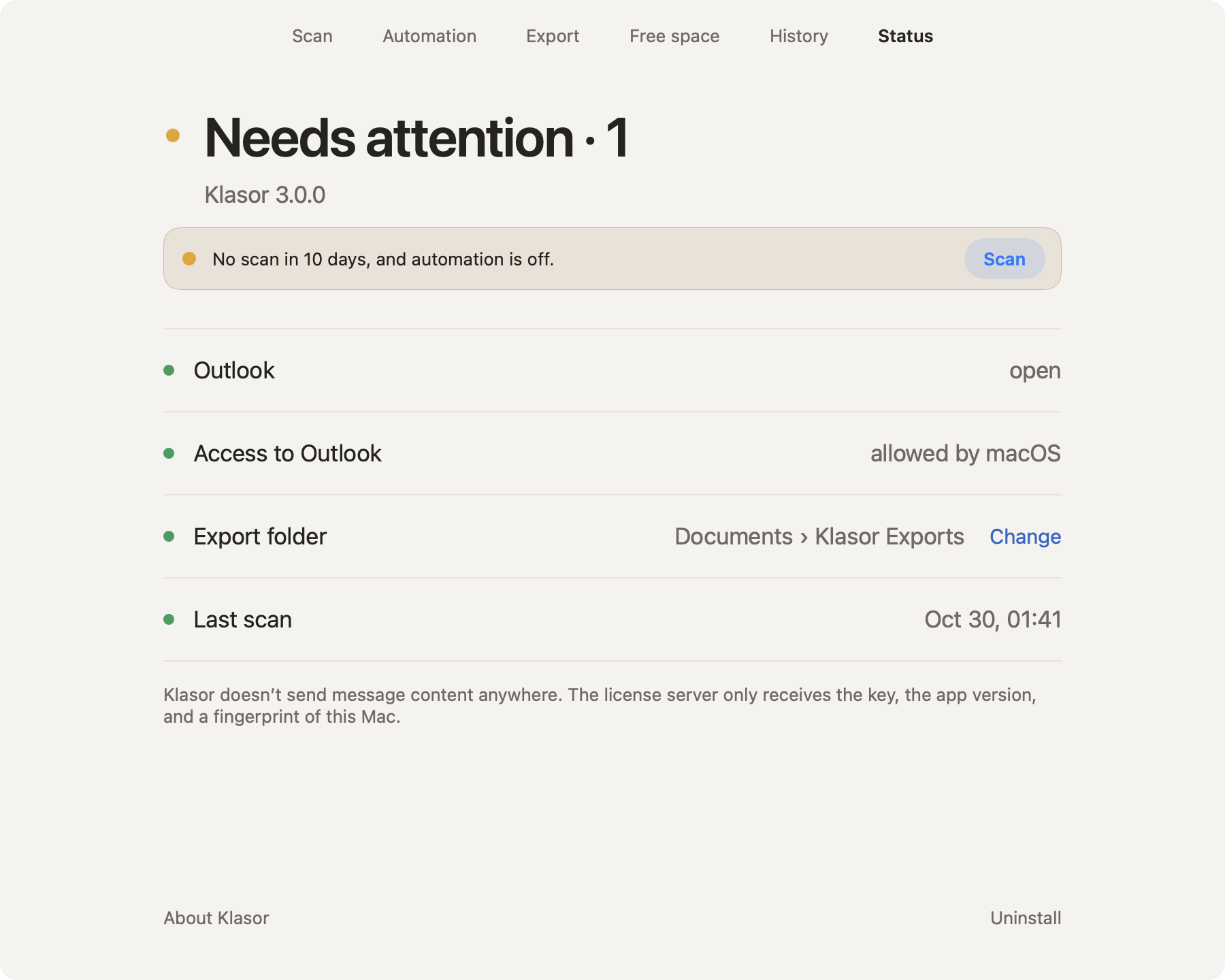
- 1
Needs attention · 1
The dot turns orange and counts the problems. “Everything is in order” appears only when there are none.
- 2
A problem row
It says exactly what is wrong, and gives the button that fixes it (here, the reminder to scan).
- 3
The checks
Outlook open · access to Outlook allowed by macOS · export folder · last scan. Each has a green or gray dot.
- 4
Privacy, in one line
Klasor doesn’t send message content anywhere.